Google Drive Automations, Granular Capacity in Workload View, and Smoother Teammate Onboarding
This week's release automates work between ClickUp and Google Drive, adds a second grouping layer in Workload view, lets you add pending users to Teams, and introduces new AI capabilities across the board.
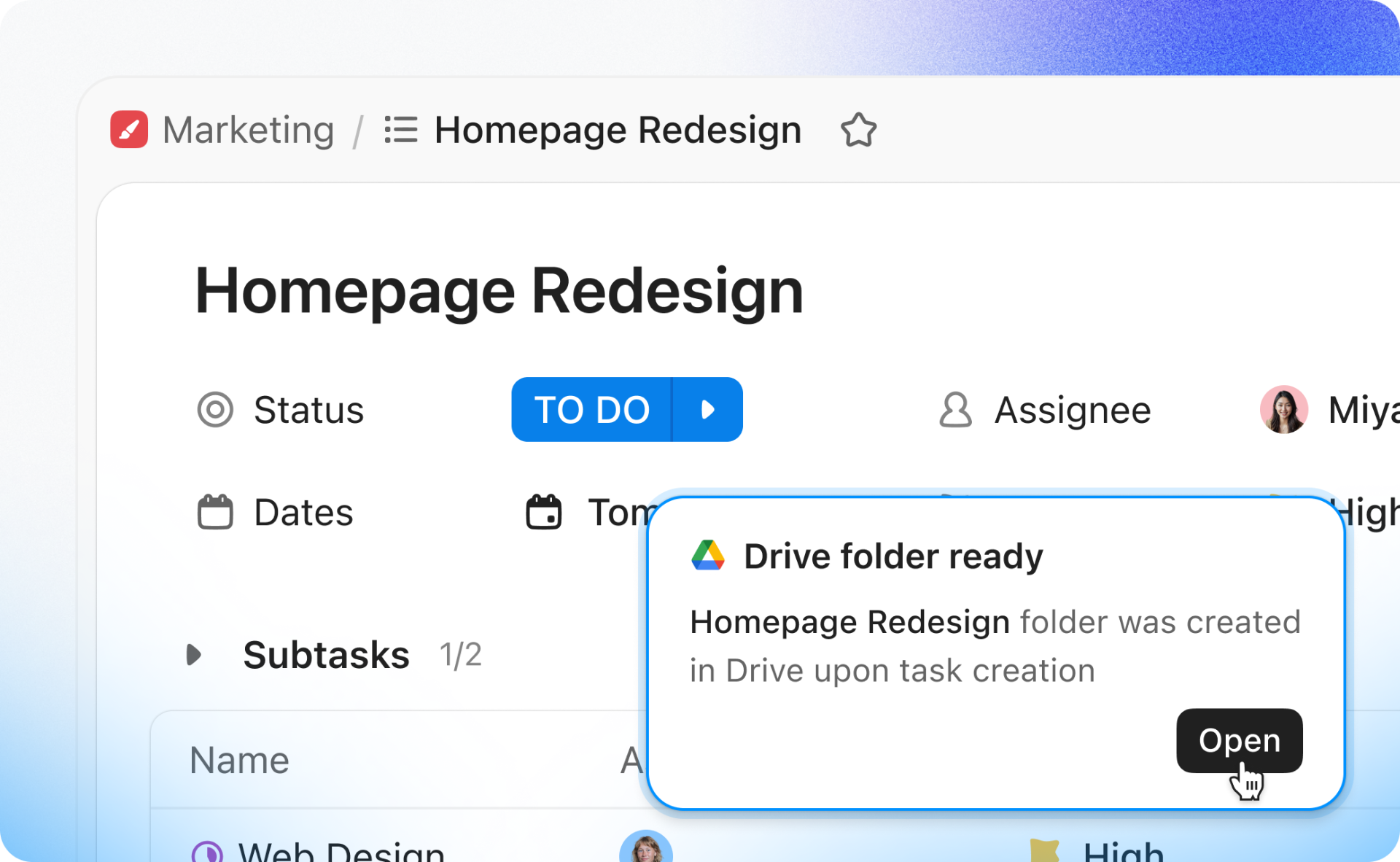
Automate Workflows between ClickUp and Google Drive
Google Drive Automations connect ClickUp and Google Drive. New triggers kick off ClickUp Automations when a file or folder is created in Google Drive, like alerting reviewers via comment. New actions automatically create a Google Drive folder or Doc when a ClickUp Automation fires, like spinning up a shared folder when a new task is created.
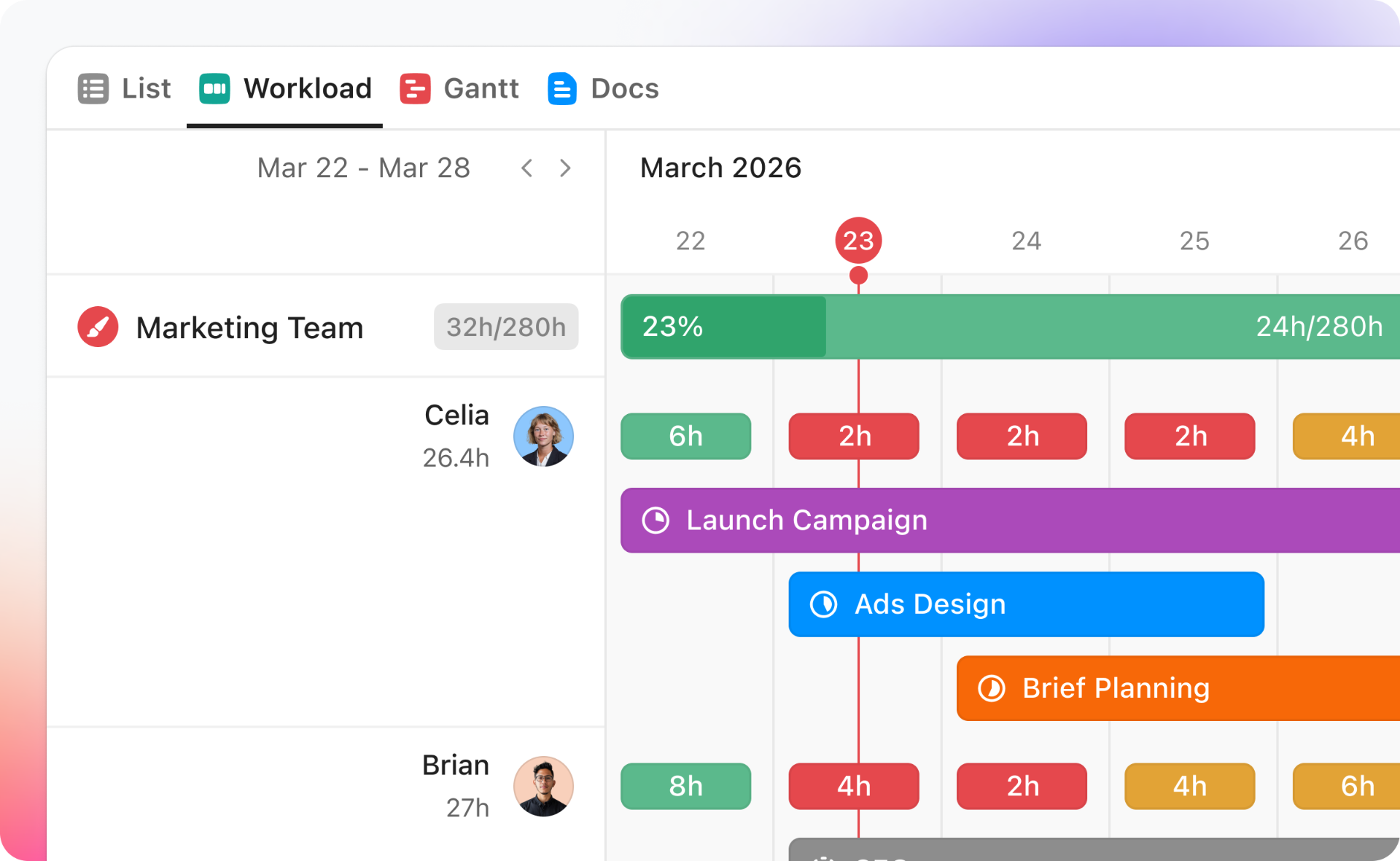
See Team Capacity at a Deeper Level in Workload View
Add a second grouping layer in Workload view to break down capacity by team, project, or department, then by assignee. Quickly spot who's at capacity and where there's room, so you can prioritize and assign work faster.
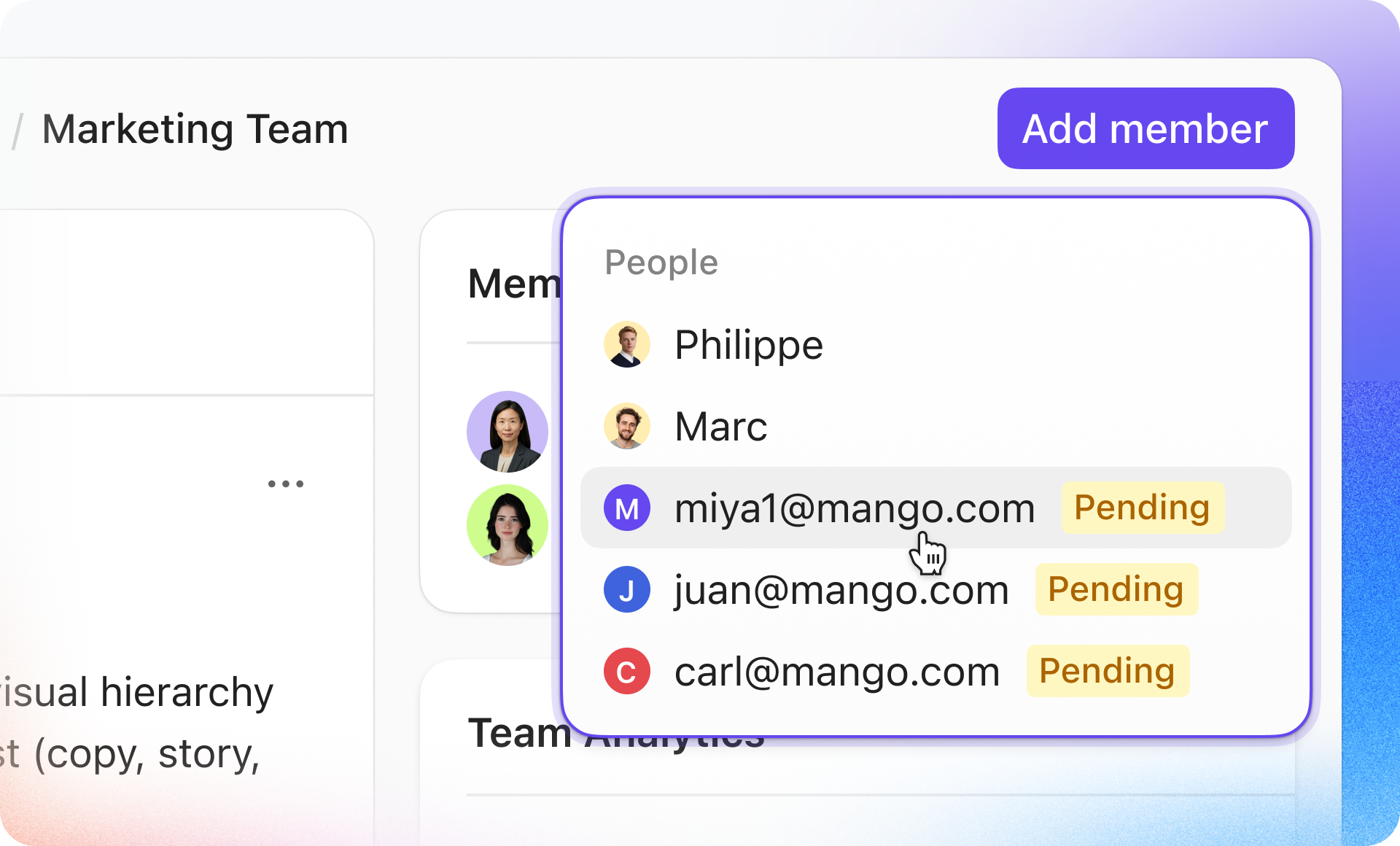
Assign Pending Users to Teams Before They Join
Prepare your Workspace for new users by adding them to Teams while their invite is still pending. When they accept, they'll instantly have the right access and permissions across your Workspace. When your new teammate first logs into ClickUp, they'll see the Spaces and resources their team uses every day.
AI Enhancements
Track Super Agent Cost in the agent Profile - See average cost per run, last run cost, and monthly usage for any Super Agent by opening its profile. Plus, your first three runs use fewer credits so you can test with confidence.
Super Agents now run on GPT-5.4 - Experience higher-quality interactions and more useful results across all agent tasks—monitoring, triaging, summarizing, or taking action.
My learnings from Davos
I just got back from Davos. For all its polish, the conversations were very real.
A Message from Andrew Feldman, Founder and CEO
Greetings friends and supporters. It's Andrew.
From now on, I'm going to send you the occasional email when I have something worth sharing.
I just got back from Davos. For all its polish, the conversations were very real.
In side rooms and late dinners, global leaders kept c...
Viva Las Cerebras! A special offer for AWS re:Invent
Join us for exclusive offers and events
Headed to AWS re:Invent in Las Vegas, December 1–5? There are no sure bets in Vegas, but the odds are stacked in your favor when you build on the world’s fastest AI infrastructure (20x faster than NVIDIA GPUs) through AWS Marketplace!
Here’s what you need to know:
The Offer: Don't step foot on the expo floor until you've tried the fastest frontier open models like GLM-4.6, OpenAI's GPT OSS 120B & more, powered by Cerebras Inference on AWS Marketplace — no new vendor approvals, no procurement, just use your existing account and pay-as-you-go. While s...













Comments
Post a Comment